Inside every signalEverything you need to plan the trade
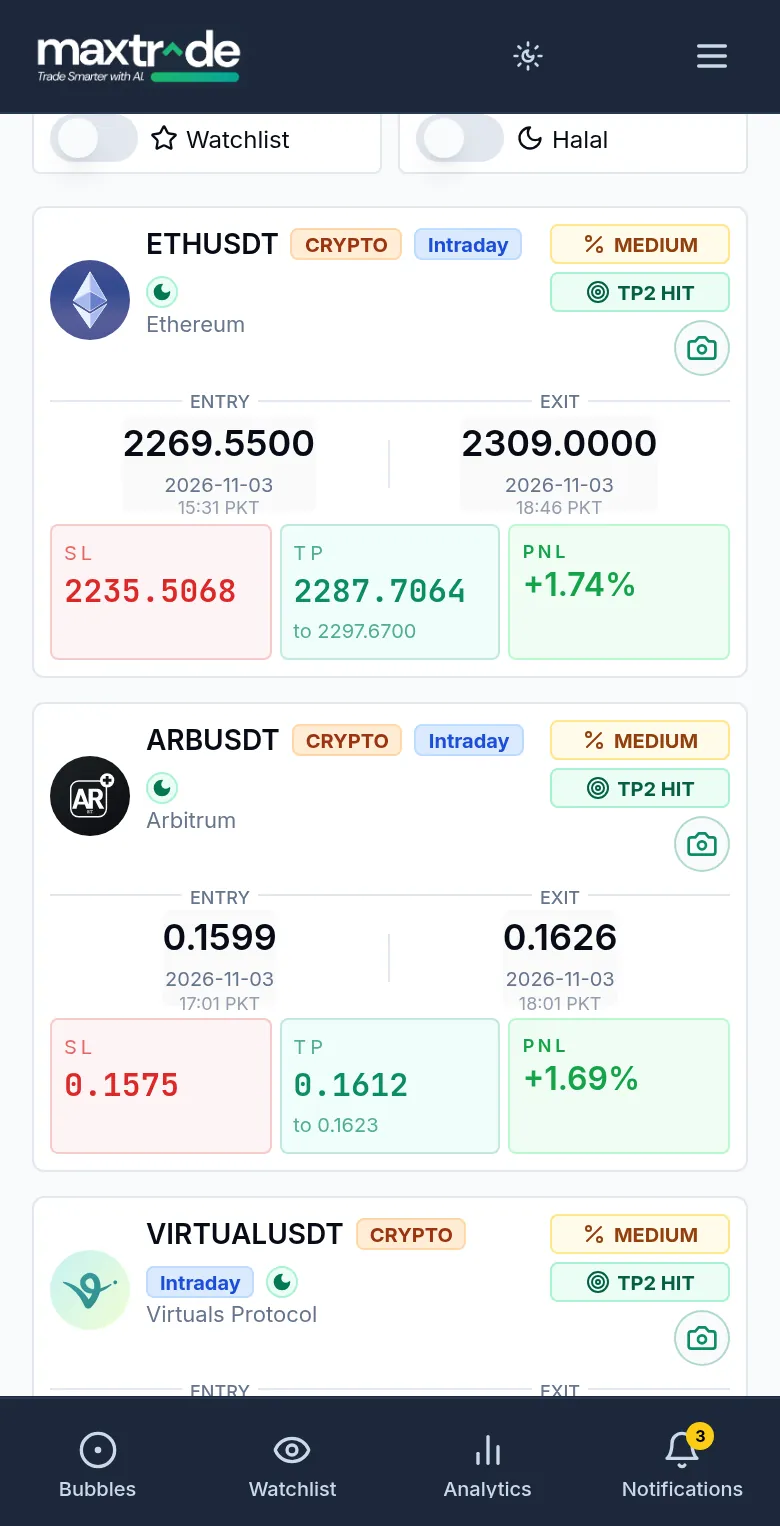
Entry, Stop Loss, TP1, TP2 and a risk tag, explained below.
What AI trading signals are
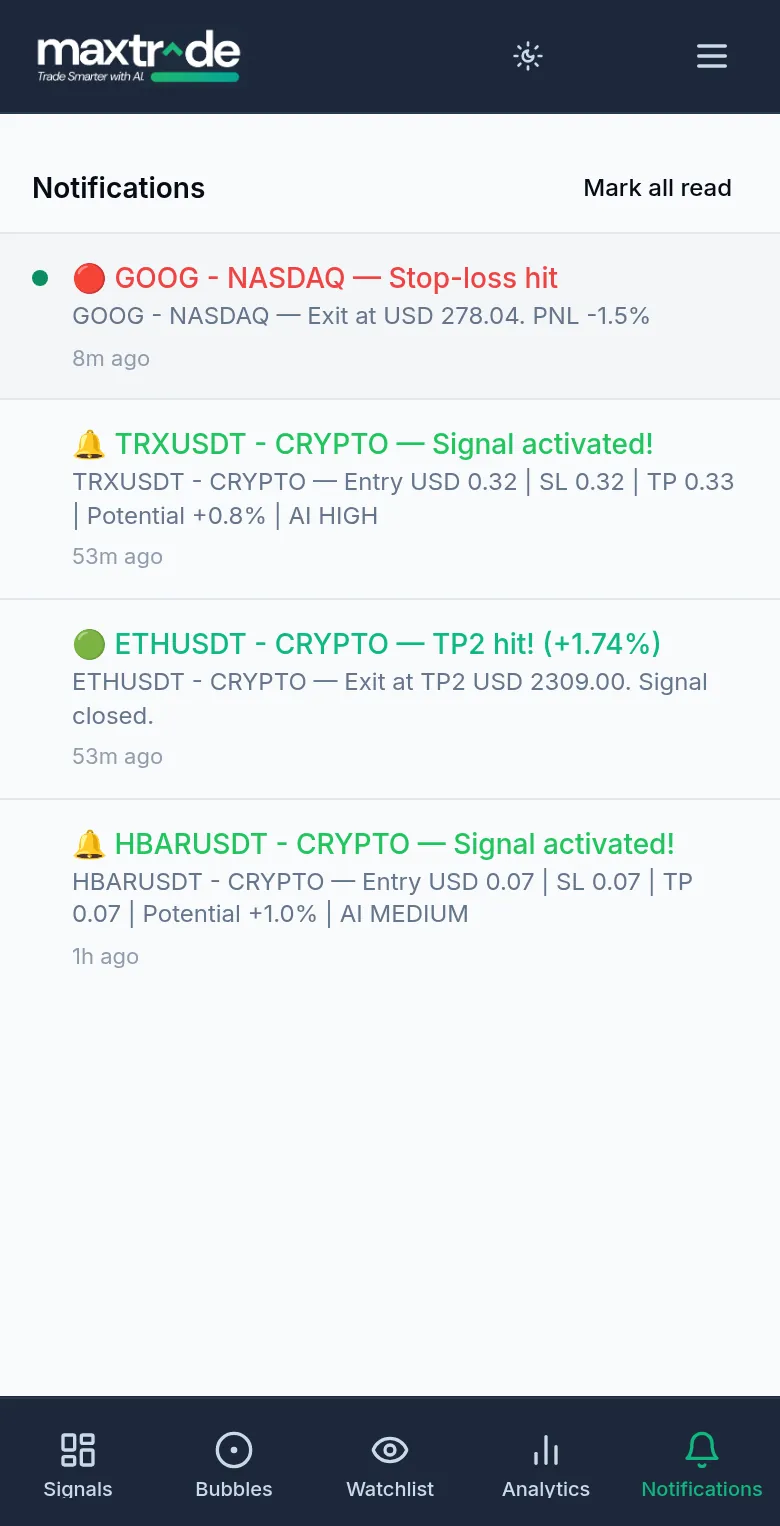
An AI signal engine analyzes market data such as price action and technical indicators, and sometimes news, and outputs a trade recommendation. Instead of running that analysis by hand on every chart, you receive the result as a concise signal. MaxTrade's AI trading signals follow one consistent format: a direction (Buy, Sell or Hold), an Entry level where the setup becomes valid, a Stop Loss where the idea is considered wrong, and two take-profit targets, TP1 and TP2. A Risk Level tag of Low, Medium or High helps you decide how much capital, if any, a setup deserves.
Ten markets in one trading signals app
Most traders follow more than one market, and switching between separate tools is slow. MaxTrade covers ten markets: NASDAQ and NYSE in the United States, the London Stock Exchange, the National Stock Exchange of India, the Pakistan Stock Exchange, the Saudi Exchange (Tadawul), the Abu Dhabi Securities Exchange, the Dubai Financial Market, the Qatar Stock Exchange, and crypto via Binance. Every market uses the same signal format, so comparing a NASDAQ setup with a PSX stock or a crypto pair is straightforward.
Watchlists and filters
A signals app is only useful if the feed is relevant to you. MaxTrade lets you set a Watchlist and filter signals down to the specific markets or tickers you trade. A PSX trader can focus on KSE-100 names, a US trader on a handful of NASDAQ stocks, and someone who trades both equities and crypto can keep everything in one view without unrelated noise.
A signal app, not an auto-trading app
MaxTrade is a signal-calling app, not an auto-trading or execution app. It does not connect to your brokerage or exchange account and does not place orders for you. You read the signal, decide whether it fits your plan, size the position yourself and place any orders through your own broker or exchange. That keeps your account, your funds and your final decisions in your hands. If you want to understand the trade-offs in more depth, our blog compares signal bots with auto-trading bots.
Built for traders at any level
You do not need years of technical-analysis experience to use a MaxTrade signal. Clear Entry, Stop Loss, TP1 and TP2 levels show where to get in and where to get out. Beginners can learn how trades are structured by reading each signal, while experienced traders can use the app as a scanning tool or a second opinion. In both cases, sound risk management matters: risk a small portion of capital per trade and always respect the stop loss.
Transparent track record
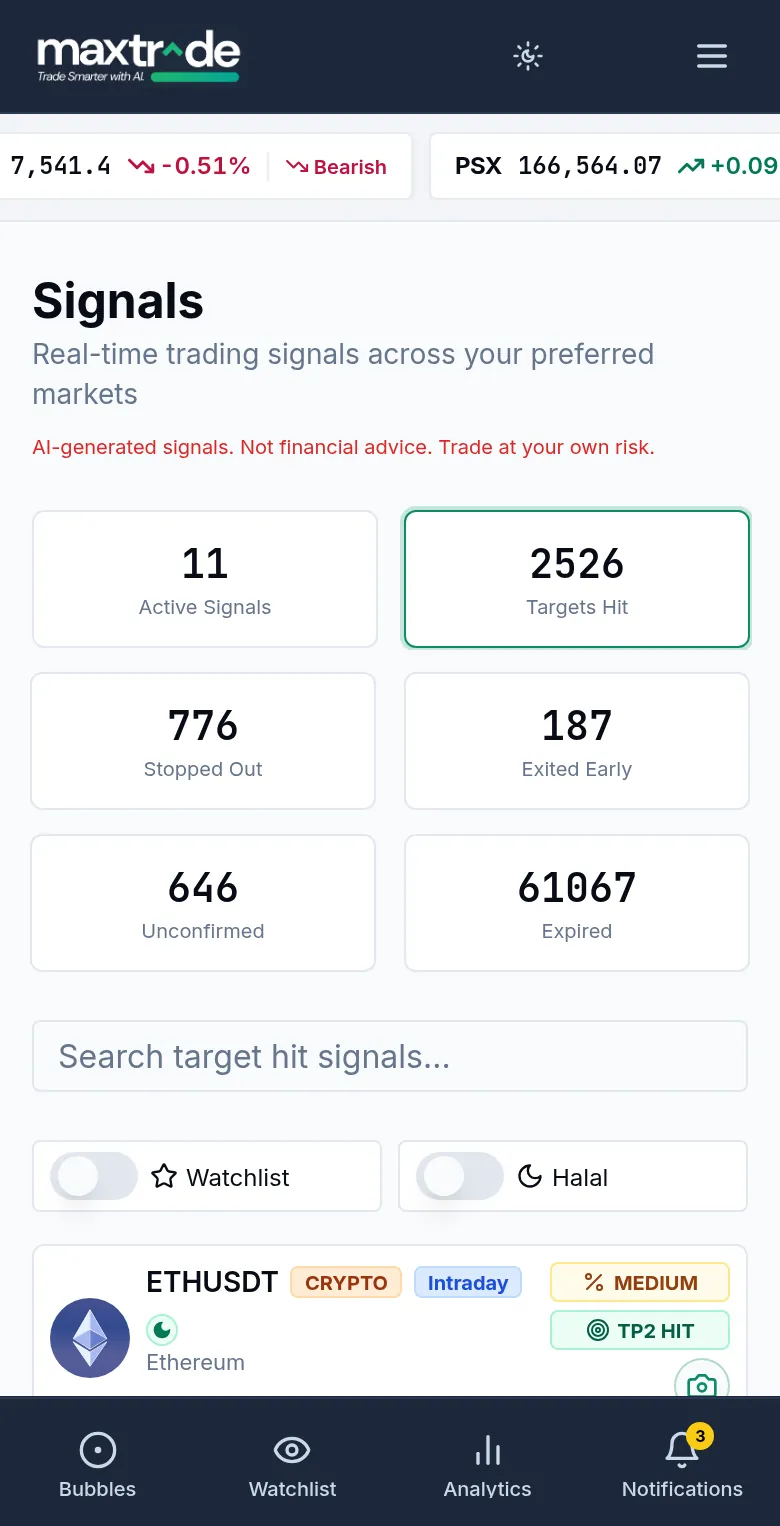
Before relying on any signals app, check how it reports losses. MaxTrade shows Targets Hit, Stopped Out, Exited Early and Unconfirmed counts on its dashboard, along with Entry and Exit details for every past signal, wins and losses alike. Reviewing that history helps you judge whether the signals suit your markets and style.
How to get started
Sign up at app.maxtrade.ai and choose the markets you follow. Add the tickers or pairs you trade to your Watchlist, then read each signal's direction, Entry, Stop Loss, TP1, TP2 and risk level before deciding whether to act. You can cancel anytime.